Chromatic Calm: Mindful Coloring
Reviews
Chromatic Calm delivers exactly what its name suggests: a calm, open-ended coloring experience without scores or timers. The gallery covers natural scenery, florals, and geometric patterns, and the broad palette plus zoom and undo tools make detailed work manageable. Saving and sharing finished pieces adds a sense of completion. It suits anyone seeking a low-stakes creative outlet, though players wanting progression or objectives will find none.
Description
A Gallery of Outlined Illustrations
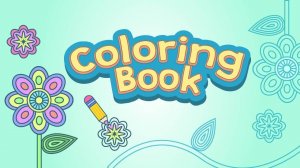
Chromatic Calm offers a library of outlined images grouped by theme: natural scenery, floral designs, and geometric patterns. You browse the collection and pick any illustration that appeals to you. There is no locked content or progression gate—every image is available from the start. The variety ensures you can match your coloring session to your mood, whether you want the familiarity of a flower or the structure of a geometric tile.
Coloring by Touch
Filling an image is a two-step action: tap a section to select it, then tap again to apply the currently chosen color. A broad palette provides numerous shades and tones, so you can experiment with different combinations. For detailed areas, a zoom feature lets you magnify the image and color precisely. If you change your mind, an undo function reverses the last action, keeping the process forgiving and low-pressure.
No Timers, No Scores
The app deliberately omits scoring, timers, and win conditions. Nothing pushes you to finish quickly or compete. This design supports the stated goal of encouraging focus and a gentle mental shift away from daily stressors. You can color for two minutes or two hours, and the experience remains the same: open-ended and self-paced.
Saving and Sharing Your Work
When a piece is complete, you can save the finished artwork directly to your device. From there, standard sharing options let you send it to friends or family. Saving also creates a personal archive, so you can revisit earlier creations. This feature adds a sense of accomplishment and gives you a reason to return to the app beyond the coloring itself.
Designed for All Ages
The interface uses simple menus and minimal instructions, making it accessible to both children and adults. There is no complex setup or learning curve—you open the app, choose an image, and start coloring. This inclusive approach aligns with the app's purpose as a universally usable relaxation tool.






Editorial Notes