Instrument Lab Music Studio
Reviews
Instrument Lab Music Studio delivers exactly what its name suggests: a lightweight lab for playing virtual instruments. The piano, drums, flute, and DJ disc each respond to intuitive inputs, and switching between them is instant. The lack of recording, effects, or structured lessons keeps it firmly in casual territory. It suits players who want to make noise without software, but anyone seeking music production tools will outgrow it quickly.
Description
Four Instruments, One Screen
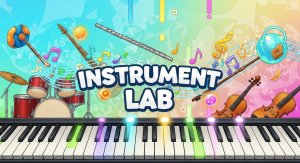
Instrument Lab Music Studio puts a piano, drum kit, flute, and DJ disc behind a single top menu. Selecting any instrument loads its play surface immediately—no tutorials, no setup screens. The piano responds to clicks or taps on individual keys. The drums use pads that trigger rhythmic hits. The flute produces notes when you click or tap its holes. The DJ disc reacts to swipes and drags, letting you scratch and adjust playback speed. Each instrument behaves differently enough that moving between them feels like switching tools rather than reskinning the same interface.
Layering and Switching
The core creative loop is layering. You can play a drum pattern, switch to piano, and add a melody over it. There is no record button or timeline—the layering happens live as you switch instruments. This makes the game feel more like a jam session than a production tool. Because instruments can be swapped at any moment, the challenge is coordination: keeping a rhythm in your head while moving to another sound source. The absence of a metronome or quantizer means timing is entirely manual, which rewards attentive listening.
Controls and Accessibility
Desktop users get keyboard and mouse support; mobile users get touch controls. The interface is deliberately minimal, with the instrument selector at the top and the play area below. There are no menus for effects, no volume sliders per instrument, and no settings to configure. That simplicity is the point: the game targets anyone who wants to make noise without learning software. The trade-off is limited depth—you cannot adjust tone, save loops, or export audio. What you hear is what you play in the moment.
Who It Suits
This is a casual creative toy, not a music production suite. It works best for short sessions where you experiment with rhythm and melody. Players who enjoy clicker and idle games may appreciate the low-pressure, repetitive satisfaction of tapping pads and keys. Those expecting composition tools or structured lessons will find it thin. The math tag likely refers to the rhythmic counting and pattern recognition involved, though the game does not teach music theory explicitly.
Compatibility
Faq
Do I need to know how to read music to play Instrument Lab Music Studio?
Can I record what I play in Instrument Lab Music Studio?
Is Instrument Lab Music Studio available on mobile devices?
Can I play multiple instruments at the same time in Instrument Lab Music Studio?
What does the math tag mean for Instrument Lab Music Studio?
Is Instrument Lab Music Studio suitable for young children?
Related Titles

Summer Style Friends Fashion Game

Orbital Tap Journey Arcade

Princess Fashion Makeover Game

Grid Collector Clicker

Frog Journey Platformer

Pacifish Fishing Management Adventure

Galactic Pixel Storm Space Shooter

Pixel Sandbox Online

Hold Position 3 Defense Strategy

World Explore Idle Strategy

Pixel Square Fill Puzzle

Editorial Notes