Creative Bag Design Studio
Reviews
Creative Bag Design Studio narrows its scope to one clear task: making two bags feel like a set while keeping each one distinct. That constraint works in its favor, since players must think about repeated colors, shared motifs, and contrasting accents rather than just picking random decorations. The school setting and simple click-or-tap controls suit its children tag, and browser play removes installation barriers. The main limitation is that the design challenge is intentionally small, so players looking for deep customization may find it brief.
Description
Designing Two Coordinated Bags
Creative Bag Design Studio centers on a specific design challenge: create two bags that look like they belong together without making them identical. Players begin by selecting a base bag shape for each character. From there, they choose colors and apply patterns such as stripes, polka dots, or geometric shapes. The goal is a shared theme, not a copy, so each bag can still reflect the character wearing it.
Layering Patterns and Decorative Details
Customization goes beyond a single color swap. Players can mix and match pattern layers, adjust where decorations sit, and preview how the finished designs look side by side. Stickers and small charms add personality to each bag. Because the game shows both designs together, players can experiment with combinations that might not seem obvious at first, like pairing a bold pattern with a subtle accent or using contrasting colors to make each bag stand out.
A School-Year Setting That Shapes Choices
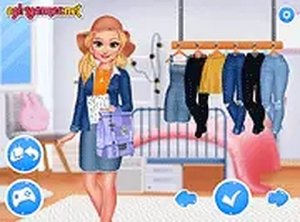
The new school year provides the backdrop. Characters appear in casual outfits that suggest a classroom environment, and the bags are styled to fit a school-friendly look. This context gives the design choices a practical feel: players can imagine how their creations would actually be used, which makes decisions about color, pattern, and decoration more meaningful than abstract dress-up play.
Simple Controls and Browser Play
Interaction uses mouse clicks or touch taps. Large icons and clear labels guide players through each step of the design process, which keeps the game approachable for younger players. A full-screen mode is available for a larger view. The game runs directly in a web browser without downloads or installations. By narrowing the task to matching accessories rather than full outfits, the game keeps the design challenge manageable and encourages players to think about coordination and balance, such as repeating a color or motif to create visual harmony.
Compatibility
Faq
What is the main goal in Creative Bag Design Studio?
What customization options are available for the bags?
Is Creative Bag Design Studio suitable for young children?
Can I play Creative Bag Design Studio on a phone or tablet?
Does the game teach any real design skills?
How does the school setting affect gameplay?
Related Titles

Summer Style Friends Fashion Game

Orbital Tap Journey Arcade

Princess Fashion Makeover Game

Grid Collector Clicker

Frog Journey Platformer

Galactic Pixel Storm Space Shooter

Pixel Sandbox Online

Word Link Puzzle Game

Words of Wonders Word Puzzle

Word Search Puzzle Online

Bubble Word Puzzle

Editorial Notes