Creative Polish Palette Studio
Reviews
Creative Polish Palette Studio targets players who want a low-stakes creative outlet rather than a challenge. Its strengths are the uncluttered interface, the click-or-tap controls, and the absence of scores or time limits, which make it easy to start and stop. The main limitation visible in the input is the lack of guaranteed saving: some versions may include a gallery, but that is not confirmed, so long-term design collections are uncertain. It suits families and casual players who enjoy color and pattern play.
Description
Choosing a Canvas
Creative Polish Palette Studio begins with character selection. Each character offers a different nail canvas, which changes how colors and patterns read on the screen. That choice is the main structural decision in the game: it sets the starting point for a design session and gives players a reason to return to characters they skipped earlier. Because the canvases differ, the same palette can produce noticeably different results from one character to the next.
Applying Color and Pattern
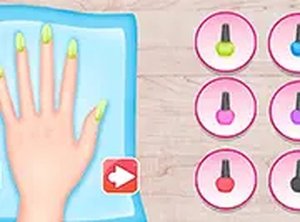
Once a character is selected, the core activity is straightforward. Players pick shades and patterns from the provided palette and apply them to the nails. The controls respond to mouse clicks or touchscreen taps, so applying a color or pattern does not require layered menus or timing. A full-screen mode is available for players who want a larger view of the design area. The interface stays uncluttered, which keeps attention on the palette and the canvas rather than on navigation.
Designing Without Pressure
There are no time limits, scores, or competitive elements. That absence shapes how the game plays: players can test a bold combination, undo it, and try something quieter without losing progress or rank. The palette supports looks that range from subtle and elegant to bold and playful, and the undo option makes mistakes low-stakes. This structure encourages color-theory experimentation and pattern mixing at a pace each player sets.
Playing Across Devices
The game runs directly in a web browser on desktop and mobile devices, with no download or installation step. The responsive layout adjusts to different screen sizes, so the same session can continue across a phone and a computer. That cross-platform access suits short breaks as well as longer design sessions, and it removes the setup friction that often interrupts casual creative play.
Compatibility
Faq
Is Creative Polish Palette Studio free to play?
Can I save my nail designs in Creative Polish Palette Studio?
Does Creative Polish Palette Studio work on phones and tablets?
Is Creative Polish Palette Studio suitable for young children?
What can I actually do in Creative Polish Palette Studio?
Do I need to create an account to play Creative Polish Palette Studio?
Related Titles

Summer Style Friends Fashion Game

Orbital Tap Journey Arcade

Princess Fashion Makeover Game

Grid Collector Clicker

Frog Journey Platformer

Galactic Pixel Storm Space Shooter

Pixel Sandbox Online

Word Link Puzzle Game

Words of Wonders Word Puzzle

Word Search Puzzle Online

Family Feud Online Quiz Game

Editorial Notes